

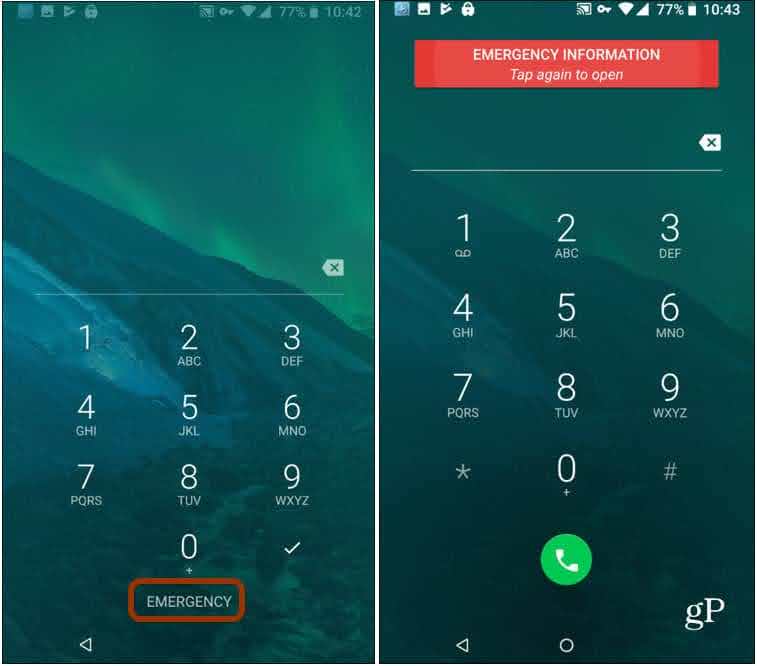

To Enter Emergency Medical Information and Contacts
- Open the Settings app on your Android phone.
- Scroll down to the bottom of the page.
- Tap Safety & emergency.
- Tap Medical information.
- Enter all your medical details.
- Go back.
- Tap Emergency contacts.
To Make an Emergency Call and Access Medical Information
- Hold the Power button to make an emergency call.
- Hold the Power button and Down Volume button together to access Medical information and Emergency contacts.
Recent Stories

Choosing Your 2027 Medicare Plan: An Open Enrollment Guide for People with Type 1 Diabetes
We have created this guide on how to choose your 2027 medicare plan including important dates, commons mistakes, and a checklist of things to do. There are also special insights on what you need to keep in mind, programs that could be helpful, and changes from the previous year. Read the full article for everything you need to know!
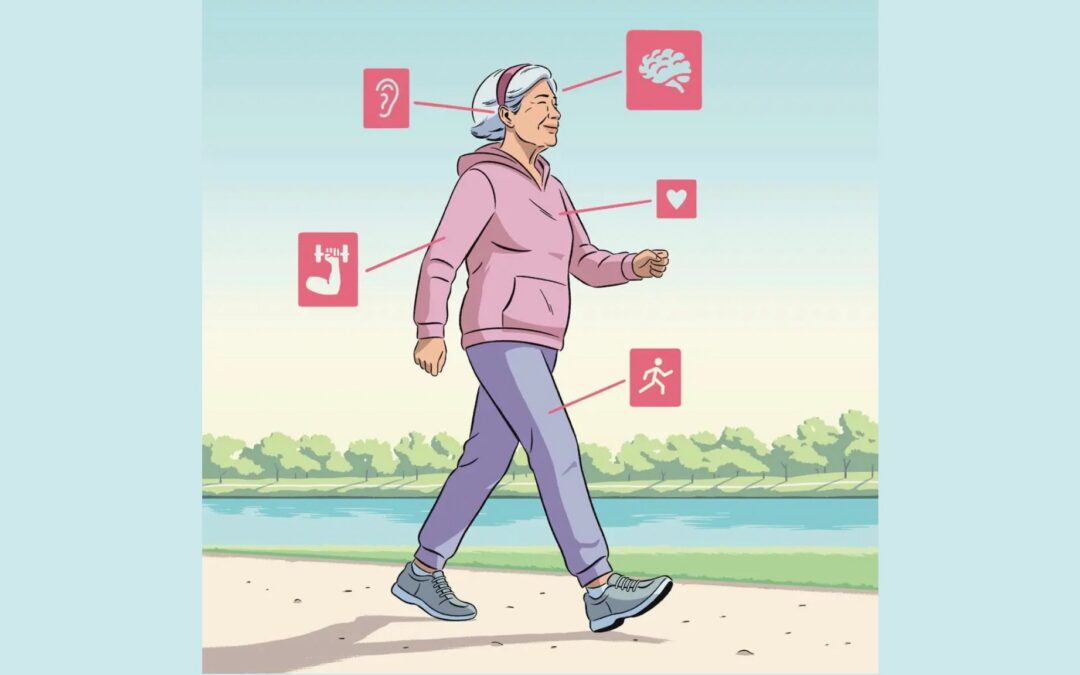
Intrinsic Capacity: The Most Important Longevity Term You’ve Probably Never Heard Of
Intrinsic Capacity is a new term experts are hoping to use to determine a person’s overall health in an effort to implement interventions for a longer, healthier, and happier life. Intrinsic Capacity is measured in five different key areas including cognition, locomotion, sensory capacity, psychological well-being, and vitality. Several studies are being implemented across the US to learn more on how to improve the accuracy of this metric and use it, eventually, for all ages.

LADA: Why So Many Adults Are Misdiagnosed With Type 2 Diabetes
A YouTube discussion from Taking Care of Your Diabetes (TCOYD) on why 4 in 10 people who are diagnosed with Latent Autoimmune Diabetes in Adults (LADA) are told they have Type 2 Diabetes first and the impact of this misdiagnosis on their health and progress.